1. Home
  2. Knowledge Base
  3. Resource Scheduling
  4. How to sort the schedule by teams availability?

How to sort the schedule by teams availability?

Keeping track of the availability of the entire team can be a colossal task. Avaza’s Resource Scheduling allows you to know who is working on what and when, and who is available for more assignments.

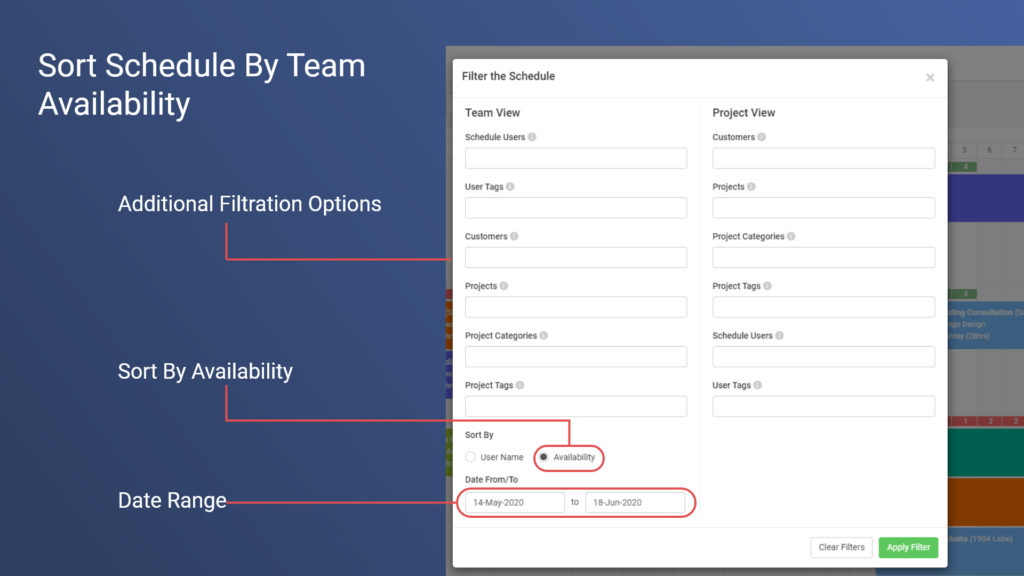
The Team view has a dedicated Sort control — the sort icon in the toolbar, next to the Add Assignment button.

To sort team members by availability:

  1. Open the Scheduling page and select the Team tab.
  2. Choose the Date Range you want to assess availability for using the selector just above the team member list (This Week, Next Week, This Month, and more, or a Custom range). Availability is always calculated for the selected date range.
  3. Click the Sort icon in the toolbar, select Availability, then choose Asc to bring your most overallocated team members to the top, or Desc to bring your most available team members to the top.

Availability is each team member’s standard working hours minus their scheduled hours for the selected range — the same figures shown under each person’s name (for example “31h/40h (78%)”). Hover over the numbers on any row for a full breakdown. The Total Available figure next to the Date Range selector shows the whole team’s spare capacity for the same range.

Use ascending order to quickly find and fix overallocation (overbooked team members show their utilisation in red), and descending order when you’re looking for who has room to take on new work.

Your sort selection is saved with the view when you click Update, so a view can permanently keep availability ordering — or use Save as new view to keep a dedicated “By Availability” tab alongside your default view.

Note: in earlier versions of Avaza, availability sorting was a “Sort By” option inside the Filter modal. That option has moved to the dedicated Sort control described above and is no longer part of filtering.

Updated on August 31, 2026

Was this article helpful?

Related Articles